← XINUO MARINE ELECTRONICS

MULTI-FUNCTION DISPLAY PRO

XN-6618
Series

Your navigation.
One integrated view.

PRODUCT INQUIRY
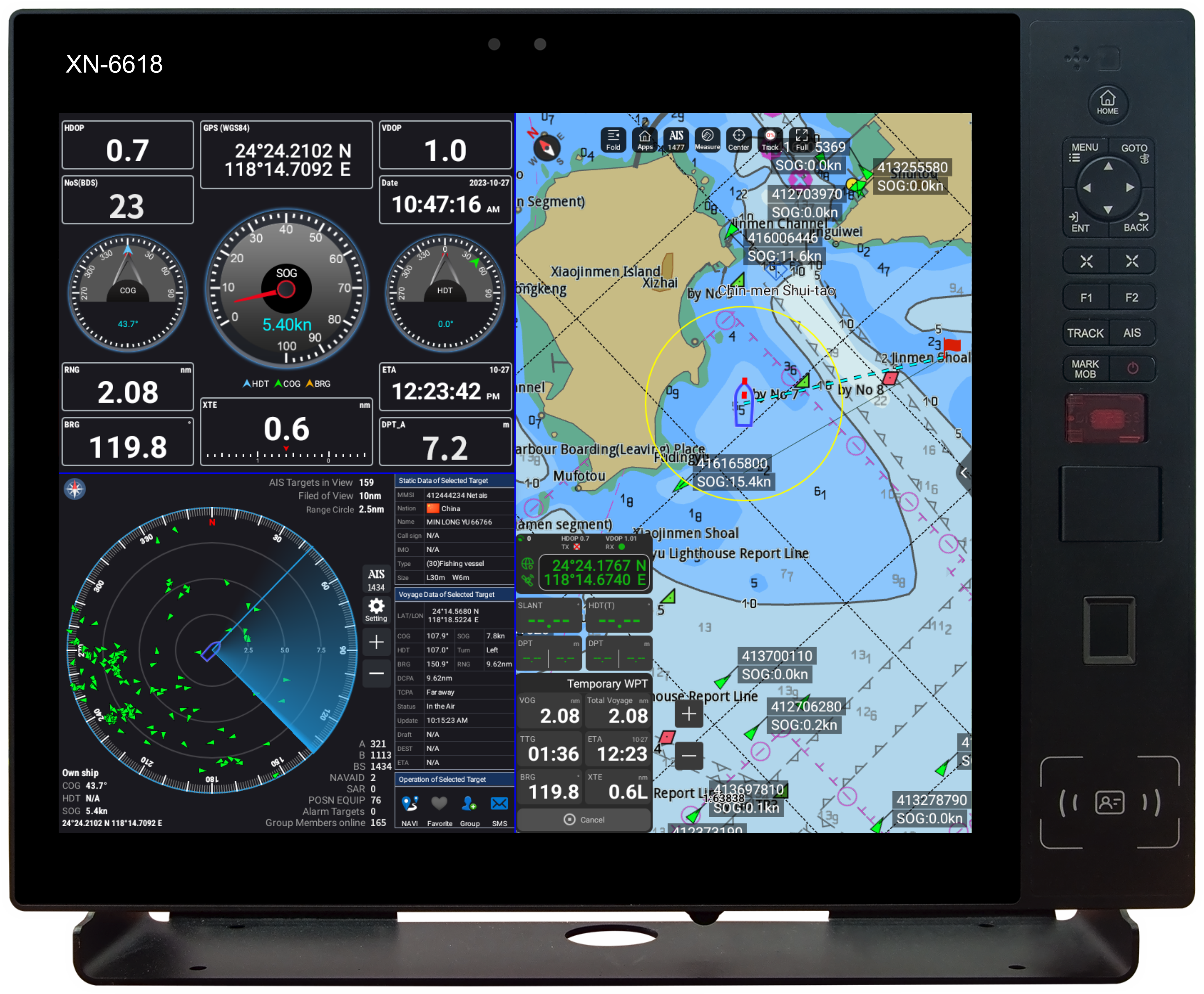
XN-6618 front view with original XINUO controls and screen
XN-6618 shown. Series configurations vary.

01 / THE INTEGRATED VIEW

More of your voyage.
In one place.

A 17-inch multi-function display platform. Chart and positioning information, brought together in a configurable workspace.

Choose a GNSS and ECS configuration, or a model with Class A or Class B AIS. Arrange split-screen views around the information you need.

17-inch
Display platform
Multi-touch
Capacitive touch panel
Three configurations
One XN-6618 series

02 / A CLOSER LOOK

A clearer view.
At every level.

Explore the chart, dashboard and AIS views in the manufacturer’s interface examples.

01 — ELECTRONIC CHART

Put your position
in context.

View electronic chart information alongside positioning data. Keep the chart at the centre of your navigation workspace.

Chart content depends on the installed chart data and system configuration.
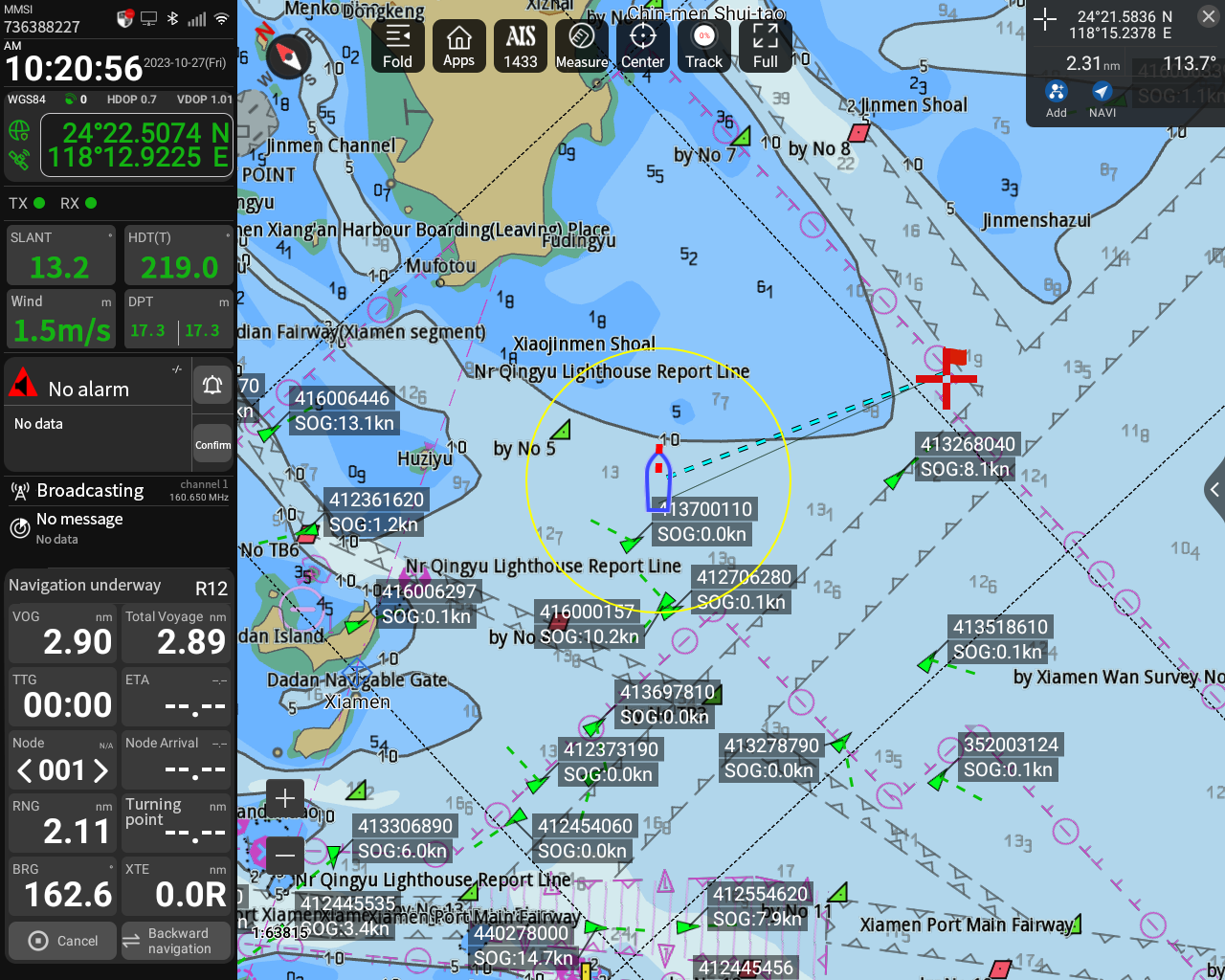
XINUO electronic chart interface showing vessel position and navigation data
Electronic chart · Manufacturer interface example

02 — DASHBOARD & SPLIT SCREEN

Your information.
Your arrangement.

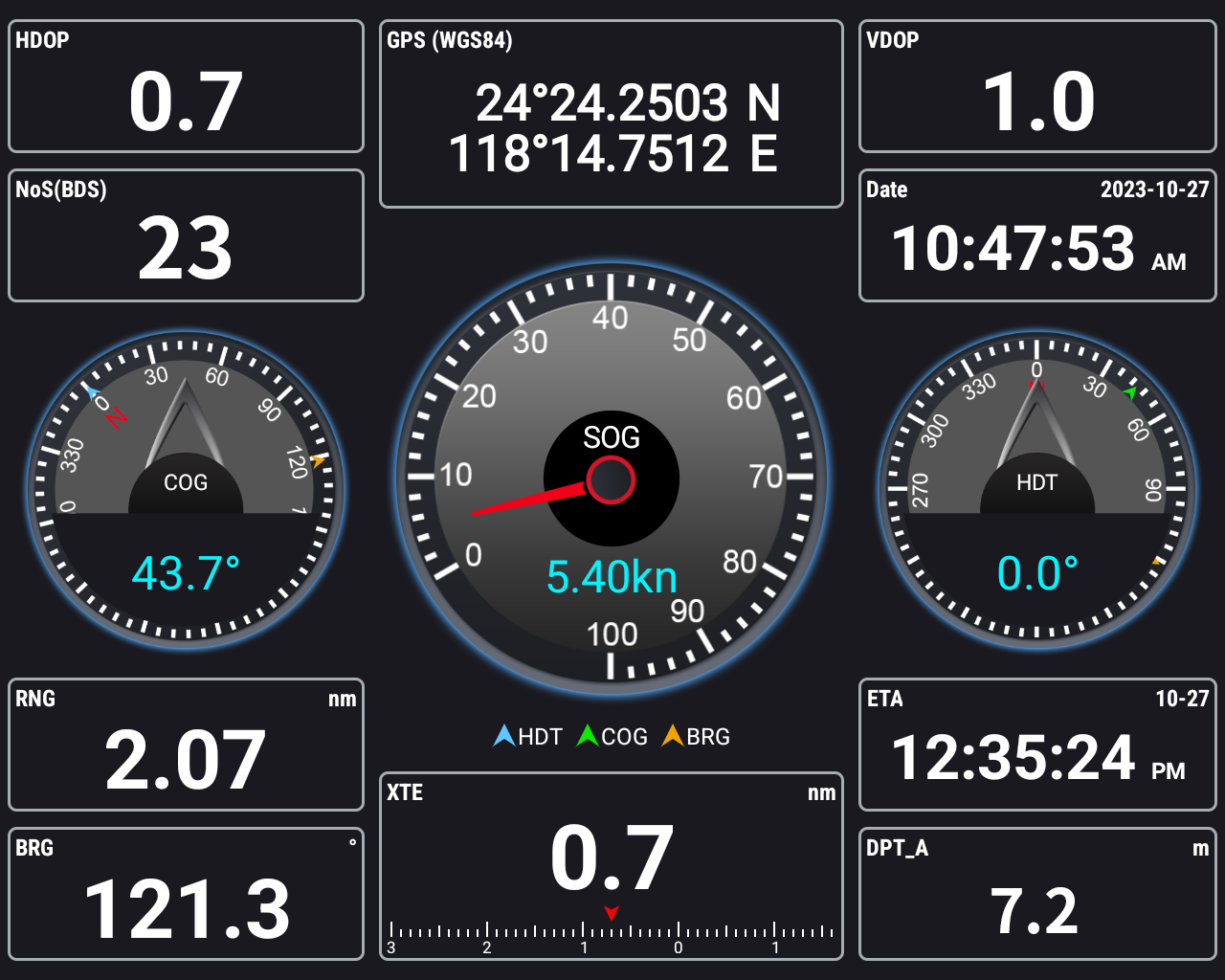
Bring position, course and speed information into a dashboard view. Combine dashboard, AIS and chart views in a split-screen layout.

Available information depends on the selected configuration and connected equipment.

XINUO dashboard interface with position, course and speed indicators
Dashboard · Also shown in the brochure’s split-screen example

03 — AIS INFORMATION

See the traffic.
Read the detail.

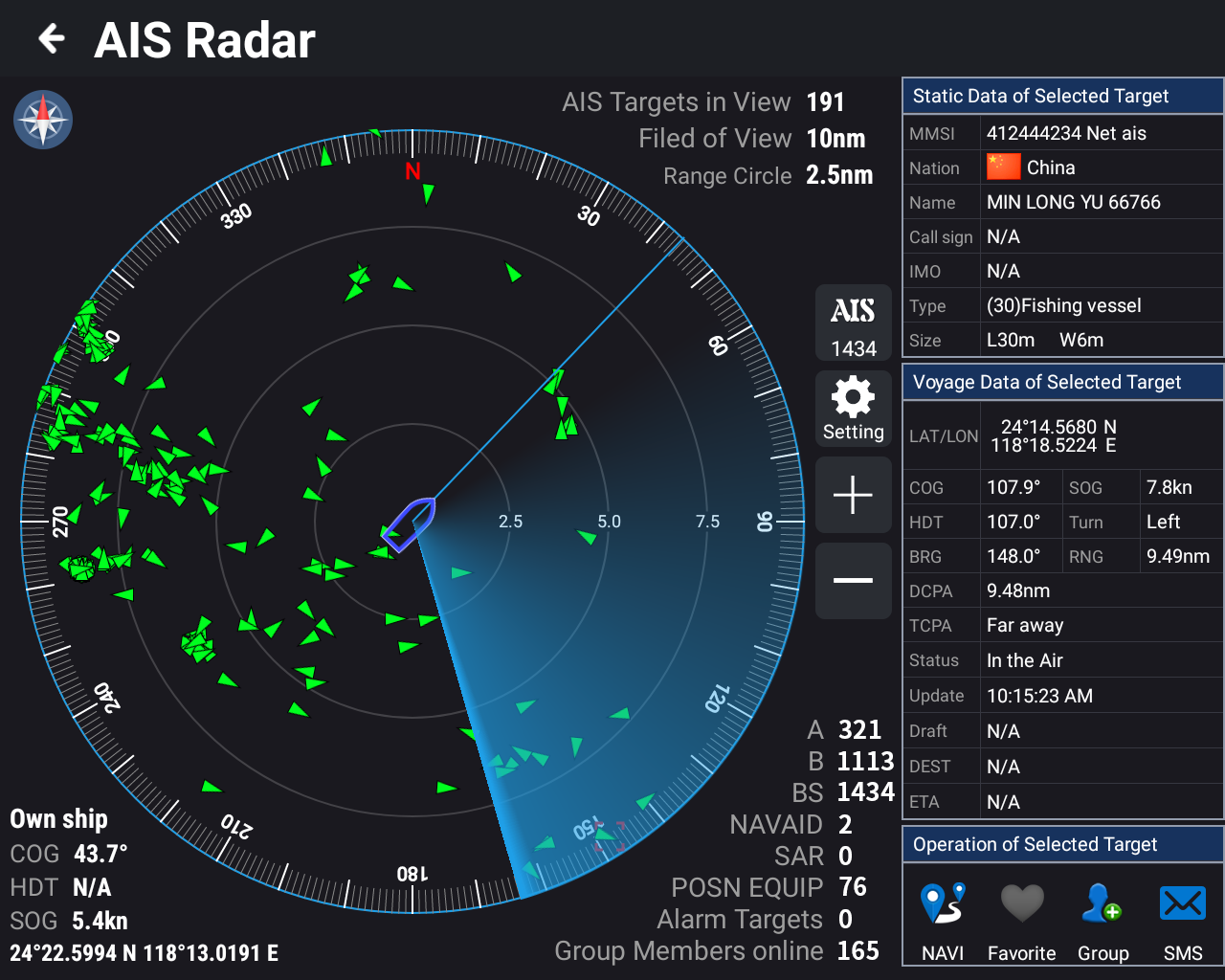
Explore AIS vessel information in a dedicated display. The manufacturer’s AIS view brings a target overview and vessel details together.

XN-6618A: Class A AIS. XN-6618B: Class B AIS. AIS configuration varies by model.

Compare the configurations
XINUO AIS interface with target plot and vessel information list
AIS information display · Not a radar echo image

A CONFIGURED SYSTEM

Echo sounder, radar echo display, CCTV and digital control integration are described in the manufacturer’s brochure. System configuration and connected equipment determine available functions.

All interface images are manufacturer examples. Displayed data is illustrative.

03 / CHOOSE YOUR CONFIGURATION

One series.
Three configurations.

Choose the configuration for your installation. GNSS and ECS are common to all three models.

XN-6618

GNSS + ECS

XN-6618A

GNSS + Class A AIS + ECS

XN-6618B

GNSS + Class B AIS + ECS

Configurations follow the supplied XINUO MFD Pro brochure, pages 1–2. Confirm the required configuration with HNC.

04 / SPECIFICATIONS

Details that
make the difference.

XN-6618 / XN-6618A / XN-6618B
Shared display specifications.

Screen size
17 inches
Resolution
1280 × 1024
Touch panel
Capacitive multi-touch
Brightness
500 cd/m² (max.)
Power input
DC 10–36 V
Operating temperature
−15°C to +55°C
Ethernet
100/1000 Mbps

Source: supplied XINUO MFD Pro brochure, PDF page 5. Model-specific AIS, GNSS, power consumption and installation details are available in the brochure. Confirm the applicable configuration before ordering.

05 / DOCUMENTATION

MFD Pro brochureXN-6618 Series / XN-6650 Series · PDF · 6 pages · 16.6 MBDownload PDF

YOUR XN-6618 REQUIREMENTS

Let’s find the
right configuration.

Tell HNC about your vessel, preferred model and the equipment you need to connect.

INQUIRE ABOUT XN-6618